
Engineering drawings
The drawing is generated with the model, not after it.
Cadxor produces standardised fabrication drawings from the configured assembly and your drawing template: views, dimensions, weld callouts, notes and a title block filled from live job data.
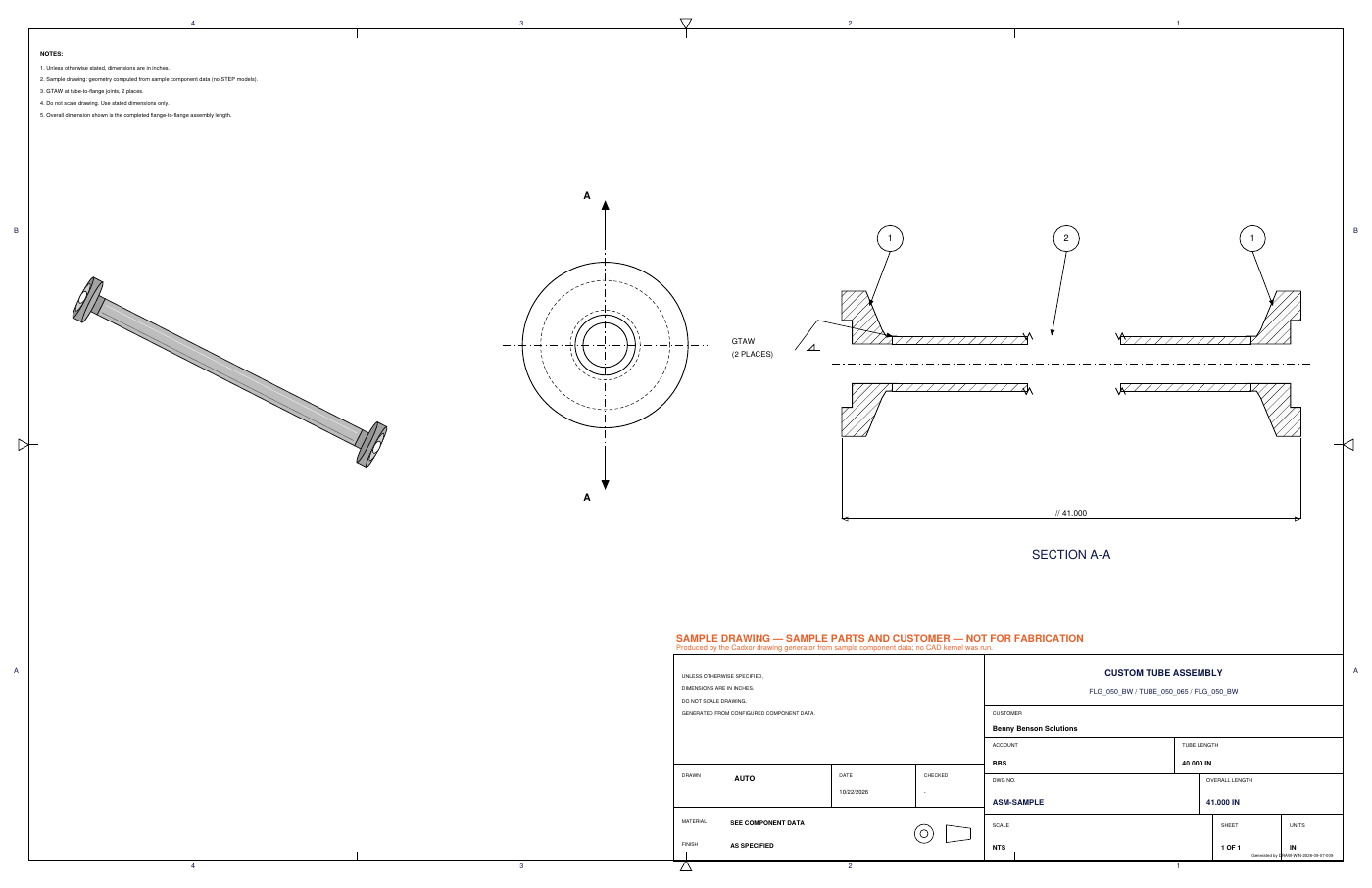
Current template
ANSI fabrication sheet
- ANSI B landscape sheet with zones and third-angle projection symbol
- Isometric view, end view with A-A cutting plane, broken Section A-A with hatching
- Item balloons and a GTAW (2 PLACES) callout whose leader terminates at the weld joint
- Overall dimension taken from the generated model
- Title block: customer, account, configured length, drawing number, overall length, scale, sheet, units, date
- PDF and DXF on every job; DWG through a licensed converter
Cadxor does not invent revision history or manufacturing statements on drawings. Fields without data are left out, not filled with placeholders.
Template management
Your standards, versioned.
| Template element | Source | Status |
|---|---|---|
| Customer name | Customer record | Today |
| Account, configured length, overall length | Configuration + CAD job metadata | Today |
| Section A-A, end and isometric views | Family template | Today |
| Weld callout (GTAW, 2 places) | Family template | Today |
| Generated date, scale, sheet, units | Job | Today |
| Drawing number in the manufacturer's format | Numbering rule per family | Roadmap (today: ASM-<job>) |
| Material and finish in the title block | Configuration | Roadmap |
| Approved engineering notes | Configuration | Roadmap |
| Approval and release status, released date | Approval record | Roadmap |
| Customer-specific templates and part numbers | Customer record | Roadmap |
| Company-specific title blocks | Template editor | Roadmap |
Every template change creates a new template revision. Jobs record which revision produced each drawing, so a released drawing can always be reproduced.
See Cadxor with your own product family.
Bring one configurable product line. We will map its components and rules and show you the generated package.